
These standard settings should be all on within HubSpot Settings.
From settings, navigate to Data Management > Data Enrichment:
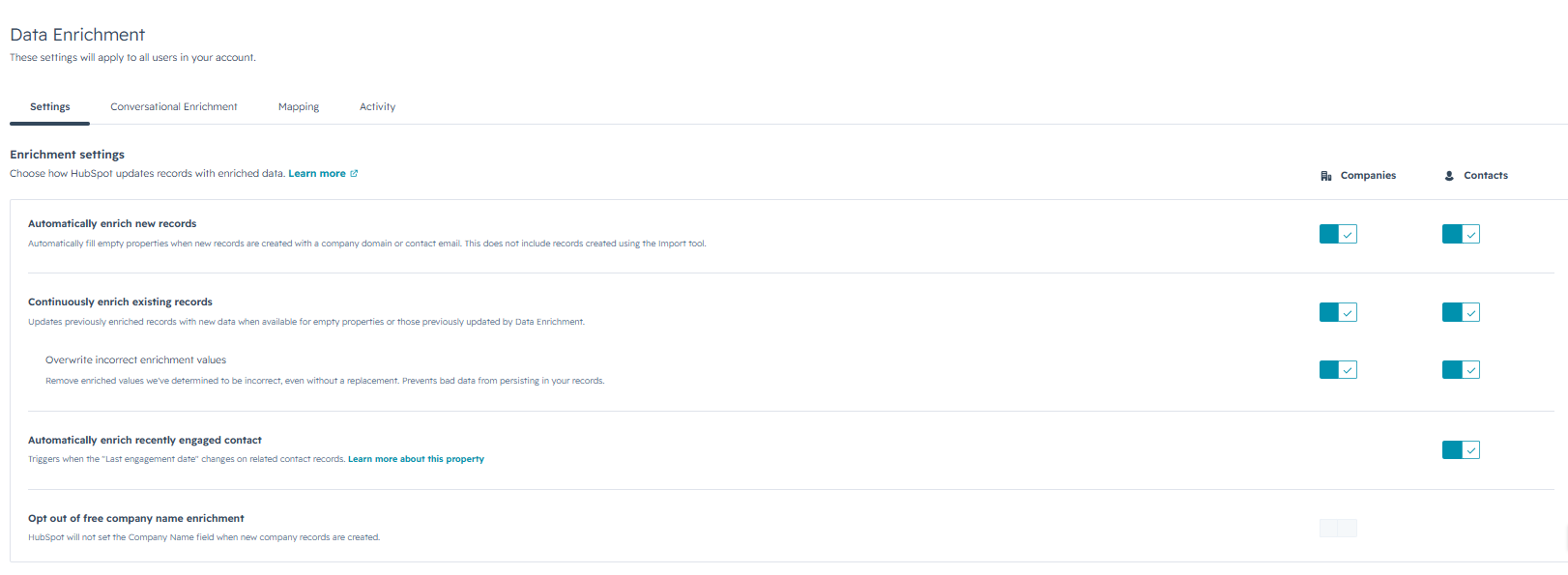
Enrich new records automatically via data enrichment settings, or enrich existing ones manually one at a time or in bulk. Property fill behavior differs based on the enrichment method:
- Automatic: fills properties containing blank or empty values. Automatic enrichment doesn't overwrite values set by a user or another system.
- Manual: fill properties containing blank or empty values or overwrite existing values. You control which method to use. Learn more about configuring overwrite settings.
- Continuous: update property values previously filled using enrichment. If a user or another system edits an enriched property value, continuous enrichment stops enriching that property.
Once these settings are set up, you can bulk enrich from a list or segment view (this is ideal because in a company or contact view, you can only do 100 at a time):
- In your HubSpot account, navigate to CRM > Segments.
- Click the name of an existing segment, or create a new segment.
- In the upper right, click Actions, then select Enrich segment.
- In the dialog box, review the count of records to enrich then click Enrich records.